
Interr
Duration
Aug 2022 - Sep 2022
Project Type
Mobile App + Responsive Website
Role
User research, conceptualize, competitive audit, sitemaps, information architecture, paper and digital wireframing, lo-fi and hi-fi prototyping, usability studies, and iteration of designs
Interr is a career coaching service designed to help first-generation immigrants navigate the job market. The service provides assistance with creating resumes, honing interview skills, and addressing unique career challenges. Additionally, it offers guidance on how to succeed in a foreign workforce and connect with potential employers.
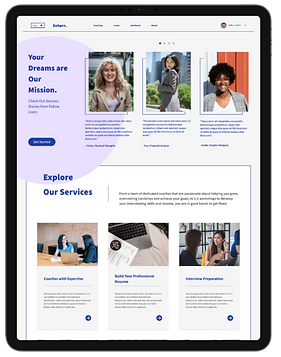
Aside from the mobile app, Interr also offers its service in the form of a website, which is more content-heavy and can be viewed on different devices.
The Problem
Immigrants of the first generation encounter numerous challenges, including a lack of guidance, emotional and financial burden from their families back home, cultural differences, and a sense of isolation. These factors make it particularly challenging for them to advance in their careers.
The Goal
Develop a mobile-responsive career coaching service that aims to assist first-generation immigrants in their career advancement by providing job search resources and personalized career advice.
User Research
User research has revealed that first-generation immigrants have varying levels of concern when it comes to their career. One common obstacle that many face is the language and cultural barriers, which can hinder their ability to advance in their profession. Some immigrants are compelled to switch to a different career due to these challenges, while others may choose to do so voluntarily.
Meet our personas: Kwon, who is a recent immigrant who needs advice on his career options and long-term goals because he wants to start planning for his professional development.

And May, a first-generation immigrant, and an upcoming college graduate who needs help with building and tailoring her resume, because she wants to land on a desirable job.

These frustrations lead to the ideation of a coaching service that not only offers consultation on their career paths but also caters to the struggles of first-generation immigrants.
Wireframing and Prototypes
As I move on to paper wireframing, I experimented with different layout options to fit navigation, greeting message, goal progress tracker, and dashboards onto the home screen.

Preliminary Drawings

Finalized wireframe drawing
Digital Wireframe
The digital wireframe for the home screen is mostly based on the finalized wireframe drawing, featuring a language drop-down menu, goal tracker, and dashboard for users to check upcoming events and personal notifications at a glance.

A low-fidelity prototype was created to demonstrate the user flow from the home page, coach list, coach profiles, and the booking process.

At this stage, a usability study was carried out to identify the necessary modifications for the current interface. Six participants were invited to take part in unmoderated remote sessions, where they completed tasks and provided feedback. The following are the findings:
-
Users have difficulties accessing the coach list from the homepage.
-
Users thought the booking button on coach details page was placed too far down.
-
Users want a simpler, quicker way to book coaches
Refining the Design
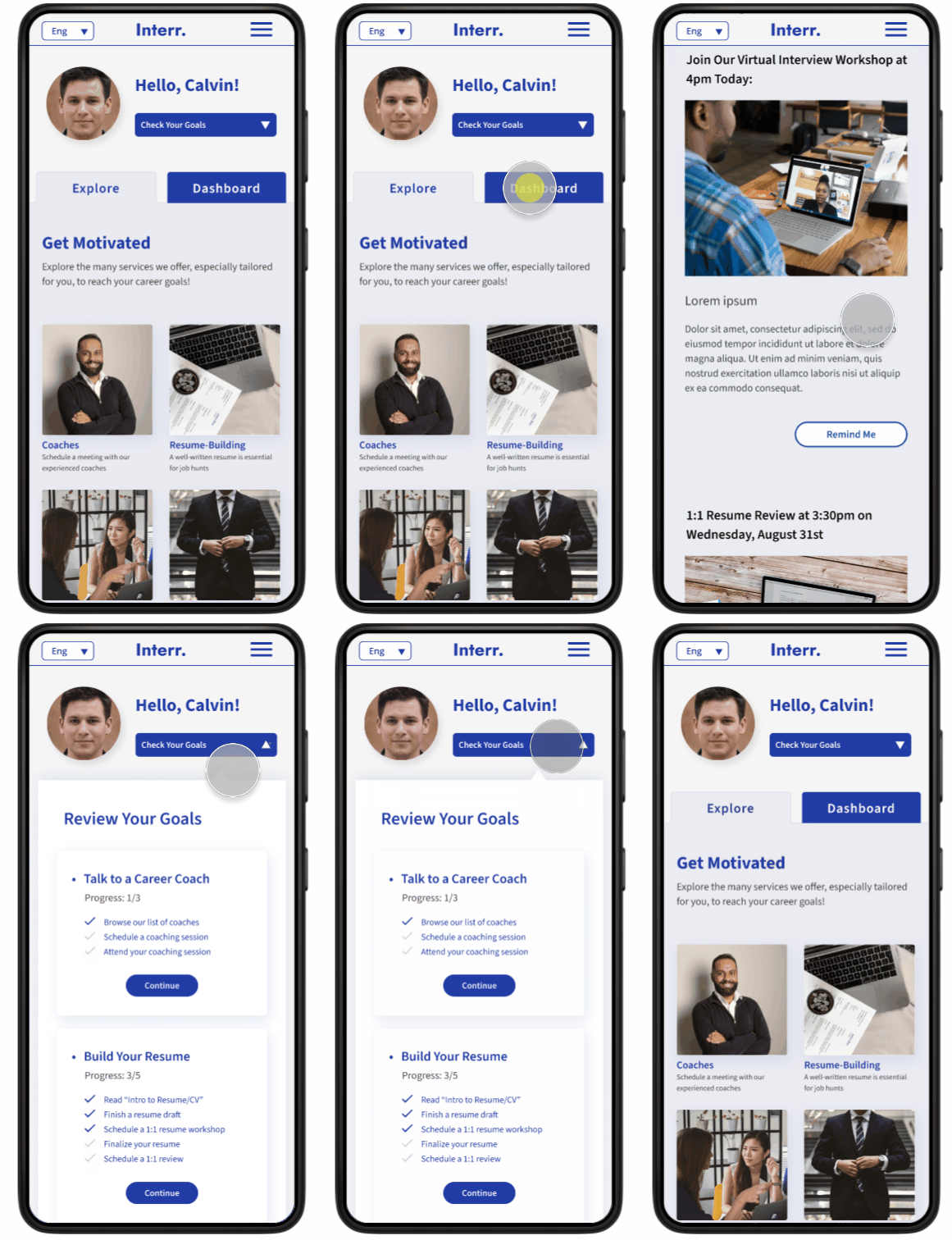
Based on the findings from usability studies, it was discovered that users encountered difficulty in accessing the coaching service as it was necessary to scroll through the entire dashboard to locate the service list. Therefore, the front page was revamped with tabs to create a more organized and efficient layout.

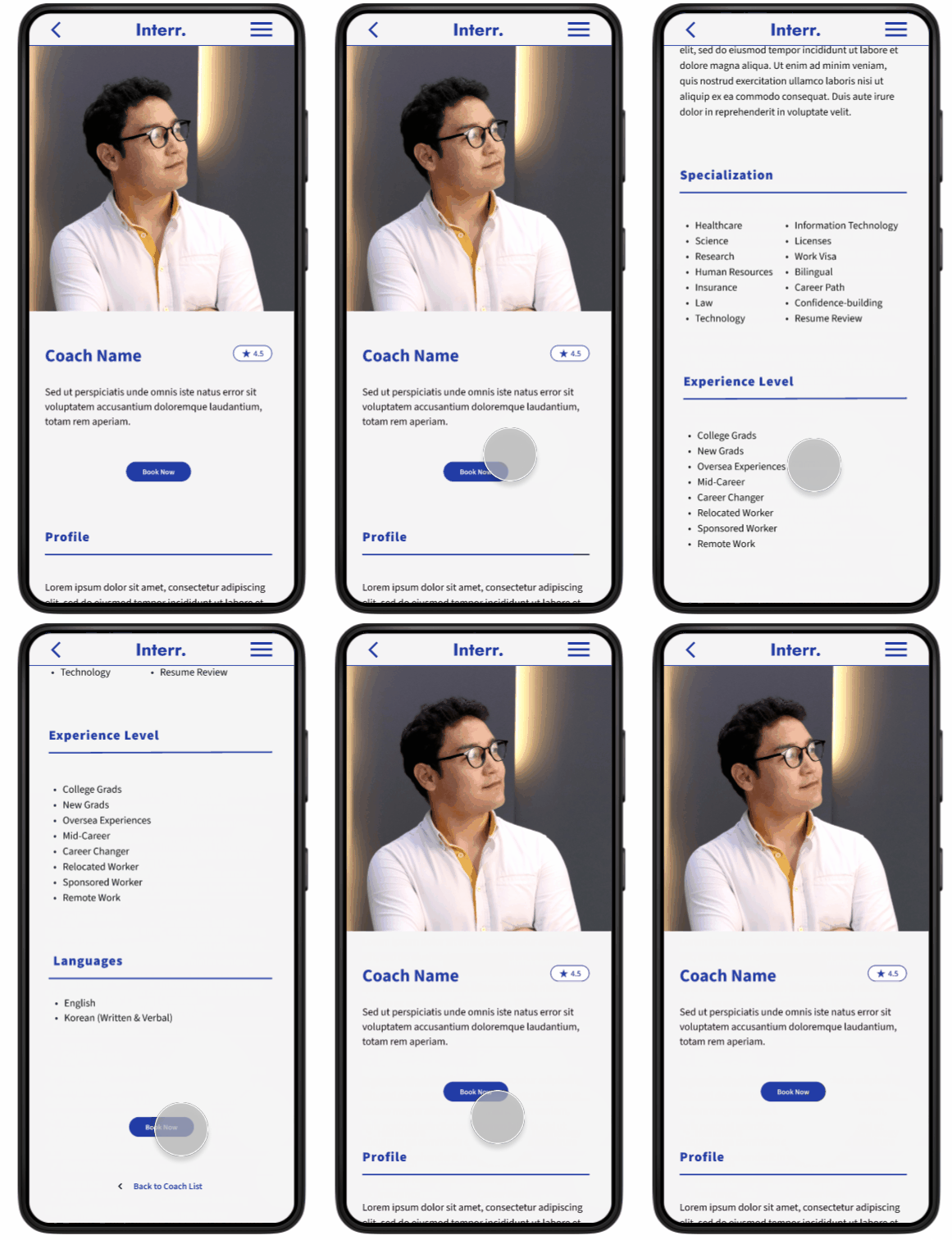
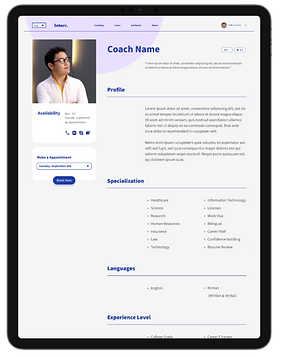
The coach booking page was also updated with additional features. Price range labels were included for consultations and coach reviews, and a prominent book button was added at the top of the page for easier access to booking, eliminating the need for users to scroll to the bottom of the page.

High-Fidelity Mockup
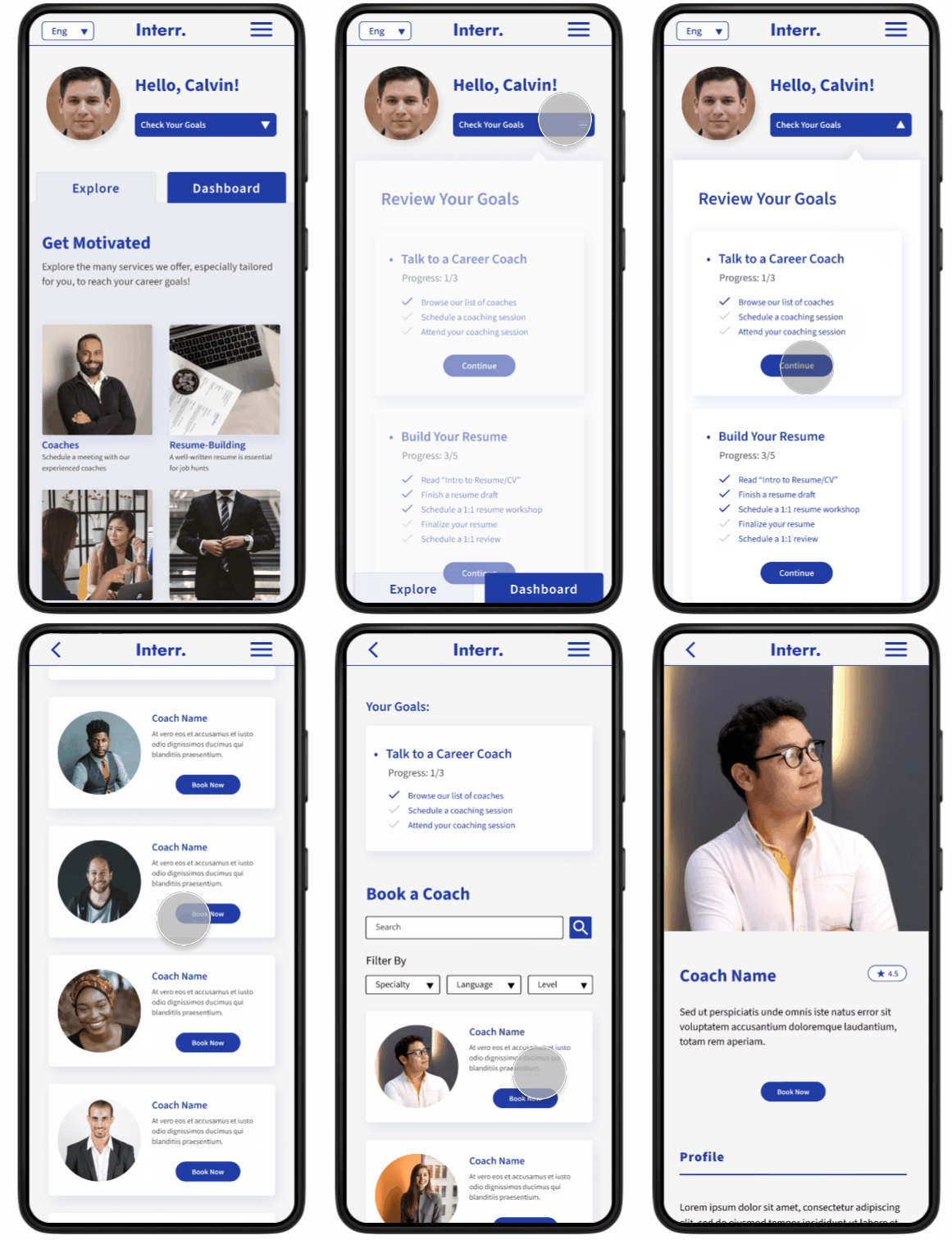
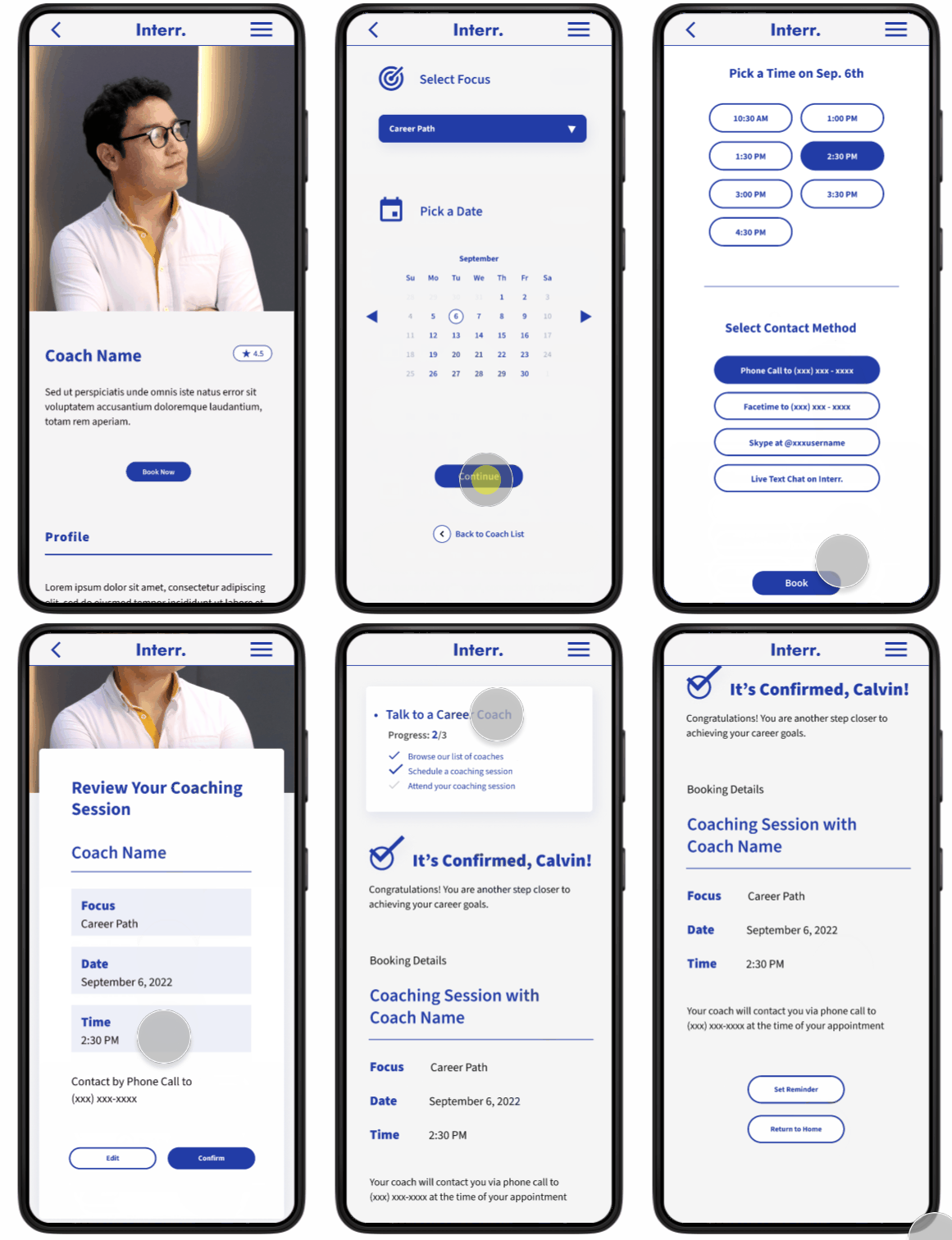
The high-fidelity prototype shows the same user flow as the low-fidelity prototype with visual and usability updates.

Browse Coaches
Book a Coaching Session
Responsive Website
As users may want to access the app features from various devices, including laptops and tablets, I decided to create responsive website versions. While the app version is primarily focused on coaching services and tracking individual goals, I planned to offer slightly more content for browsing in the web version as I created the site map.

Responsive designs were then completed for desktop, tablet, and mobile. Color, theme, and fonts remain consistent throughout all platforms.




Takeaways & Next Steps
Throughout this project, I have come to understand the significance of prioritizing user needs as UX/UI designers. Listening to user feedback and being open to making changes based on that feedback is crucial because there may be a disconnect between my assumptions and actual user expectations. Therefore, I have learned to put the user at the center of the design process.
The next steps to take:
-
Conduct usability studies for the mobile and desktop versions of the responsive websites to identify areas for improvement.
-
Integrate a recurring coach booking feature.
-
Continue to build the goal setting feature for users to easily keep track of their process.